PROJECT OVERVIEW
ORGANIZING MEMORIES BY LOCATION
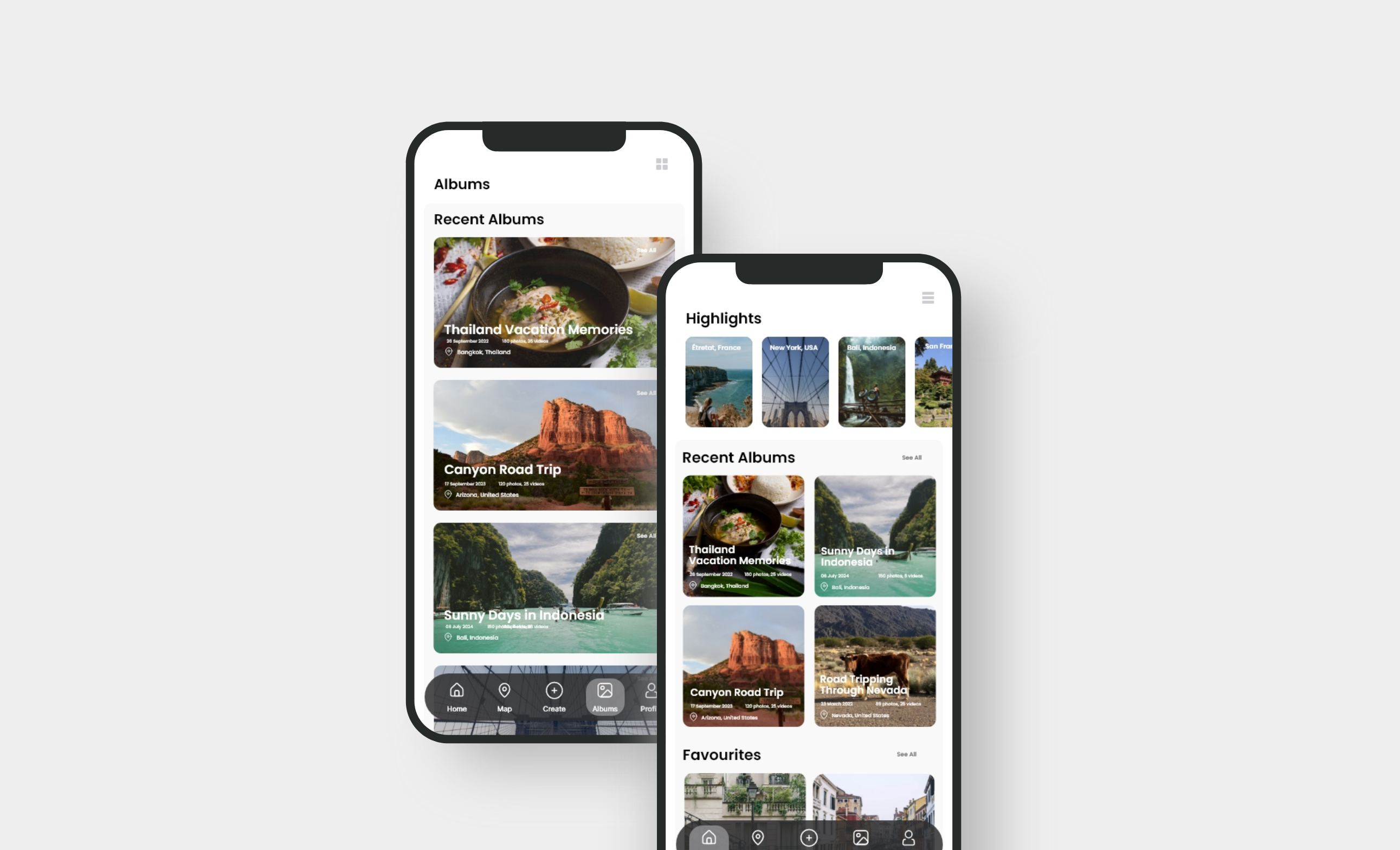
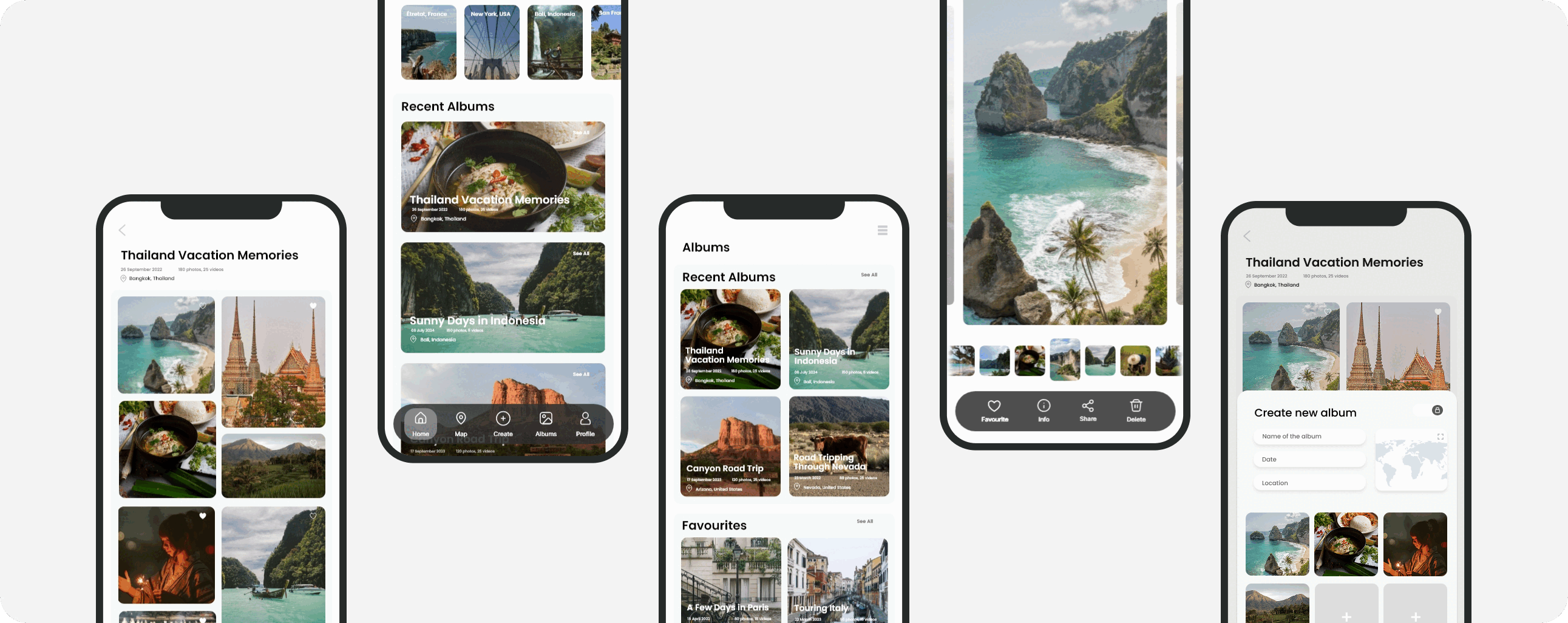
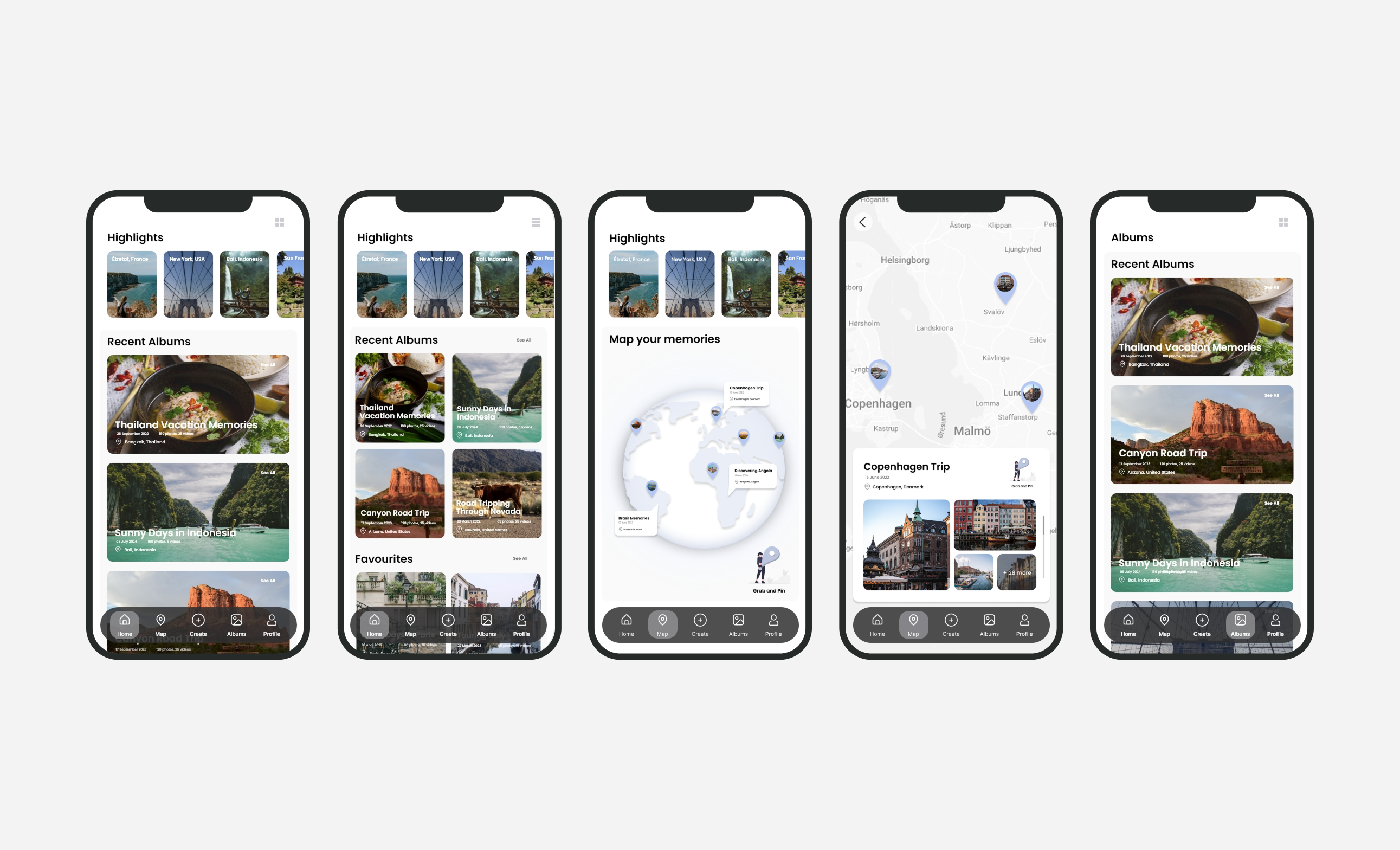
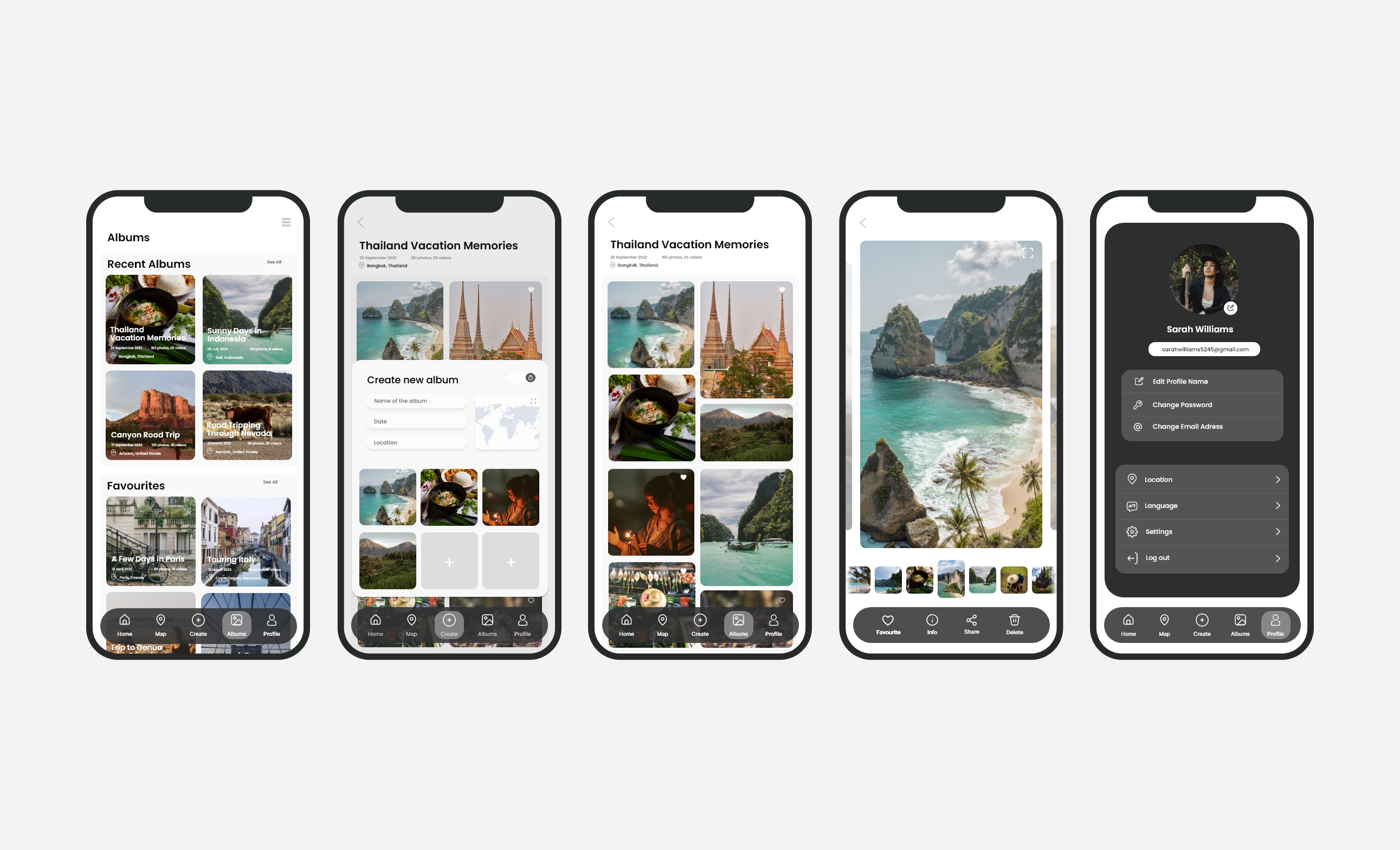
PhotoCloud is a mobile application that securely stores your holiday photos and videos in the cloud, featuring an interactive map where you can pin your photos to specific locations, creating a visually engaging and geographically precise travel journal.
PROJECT TYPE
Cloud app
AUTHORS
I was responsible for all the phases of this project
TOOLS
Adobe XD, Figma, Adobe Photoshop, Adobe Illustrator
BACKGROUND & PROBLEM
THE MISSING CONTEXT IN DIGITAL TRAVEL MEMORIES
As digital photography continues to grow, travel photos are often scattered across devices and platforms, making memories difficult to revisit or meaningfully share. Cloud services such as Google Photos and iCloud prioritize storage and backup but present images primarily in chronological grids, limiting contextual storytelling.
WHEN TRAVEL MEMORIES BECOME DIGITAL CLUTTER
Current photo storage solutions are static and lack interactivity, making it difficult for users to organize and share travel memories in a meaningful way. Traditional cloud storage and gallery apps store images without geographical context, resulting in cluttered and disorganized collections that fail to capture the essence of a trip.
RESEARCH GOALS
(1)
UNDERSTAND USER PREFERENCES
Identify how users currently store, organize, and interact with their travel photos.
(2)
IMPROVE USER EXPERIENCE
Explore ways to make the app intuitive, engaging, and easy to navigate.
(3)
INCREASE ENGAGEMENT
Investigate features that encourage users to revisit, share, and interact with their travel memories.
(4)
COMPARE WITH COMPETITORS
Study existing photo storage and mapping apps to identify gaps and opportunities for innovation.
(5)
INTRODUCE PRIVATE SHARING
Explore secure, user-controlled sharing options that prioritize privacy and simplicity.
SECONDARY RESEARCH
(1)
WHAT I KNOW
The market is filled with applications offering photo cloud storage, yet there is a noticeable absence of a recognizable app that combines photo storage with an interactive map feature.
(2)
WHAT I DON'T KNOW
Due to the inconsiderable competition in the app market for this feature, it is uncertain how people will use and feel about it.
(3)
WHAT SUCCESS LOOKS LIKE
A platform that securely stores photos while visualizing users' journeys offering a unique approach to photo storage. With little competition offering similar features, this app has strong potential for originality and market success.
COMPETITIVE RESEARCH
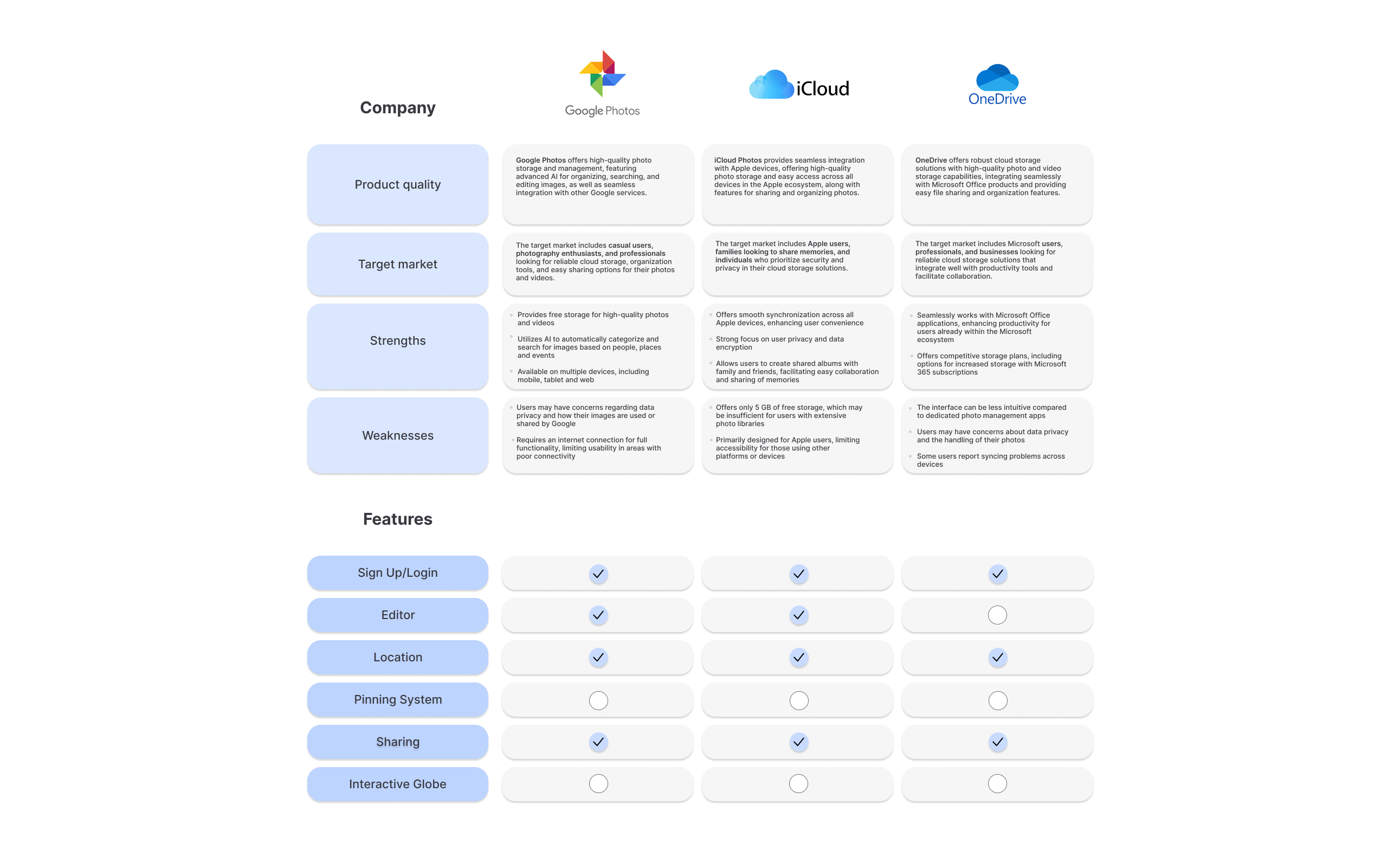
I conducted a competitive analysis by reviewing the 3 most similar apps:
USER AFFINITY MAPPING
I conducted interviews with five individuals (two students and three adults) who expressed interest in an application like this:
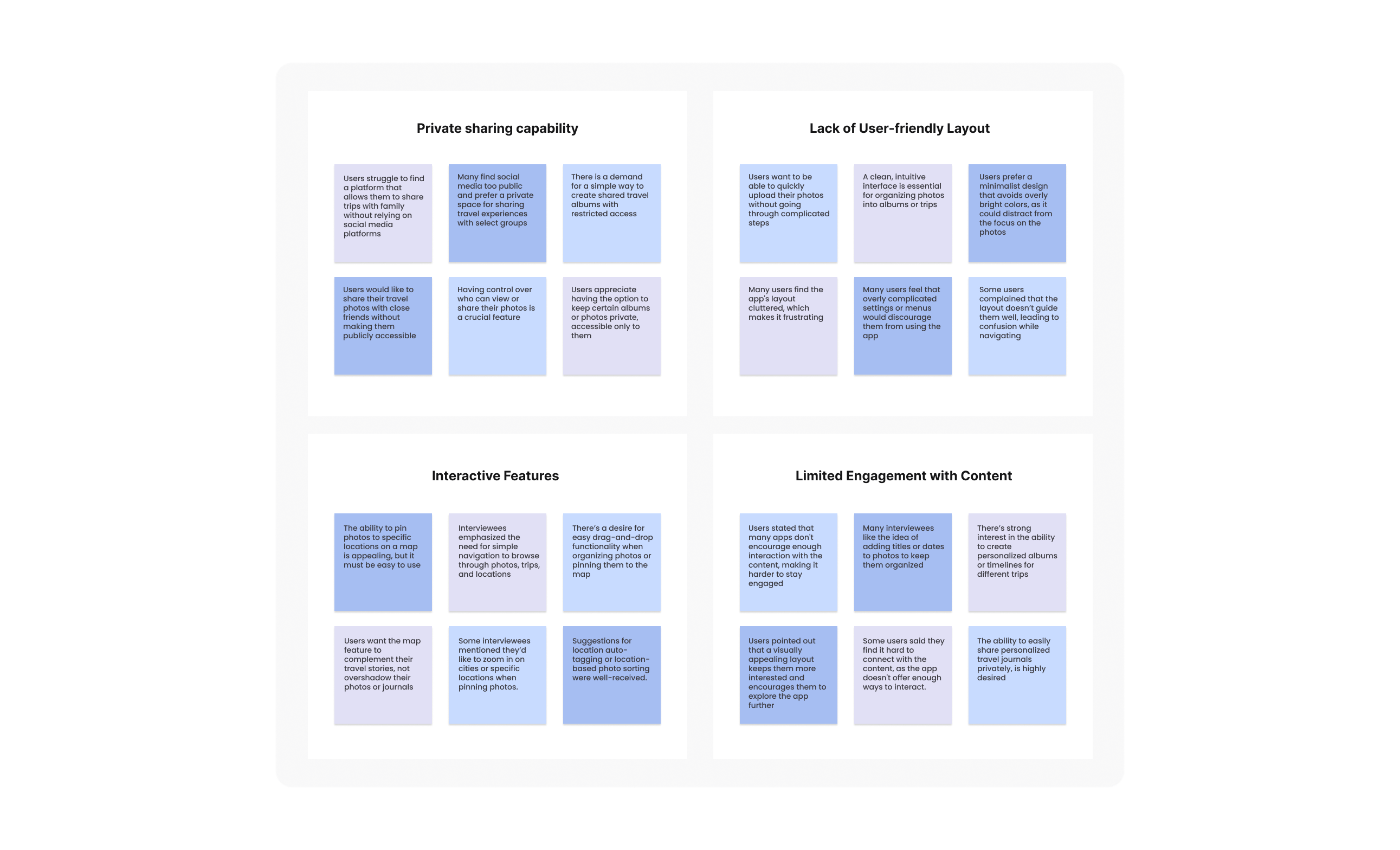
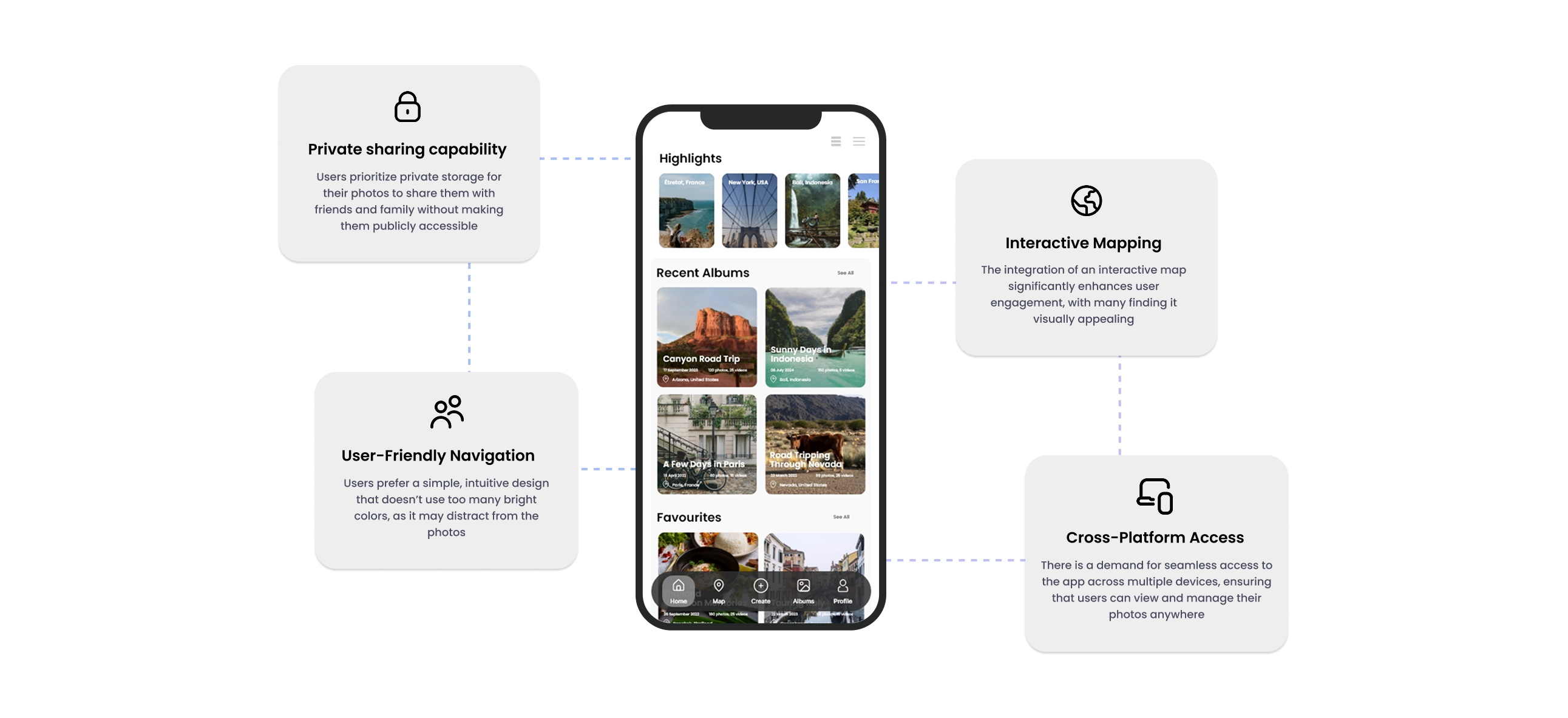
RESEARCH FINDINGS
I have identified four key insights from the research:
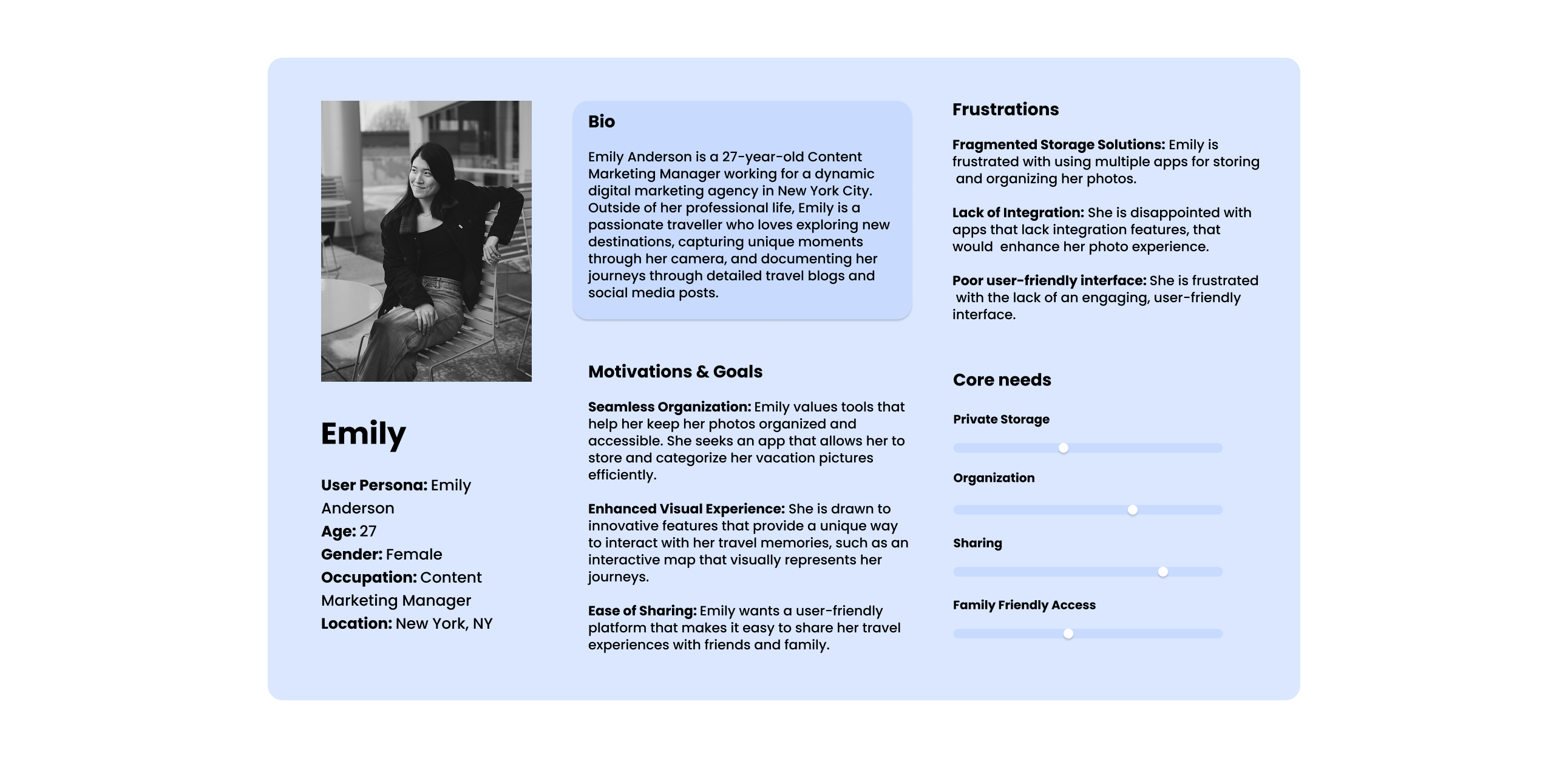
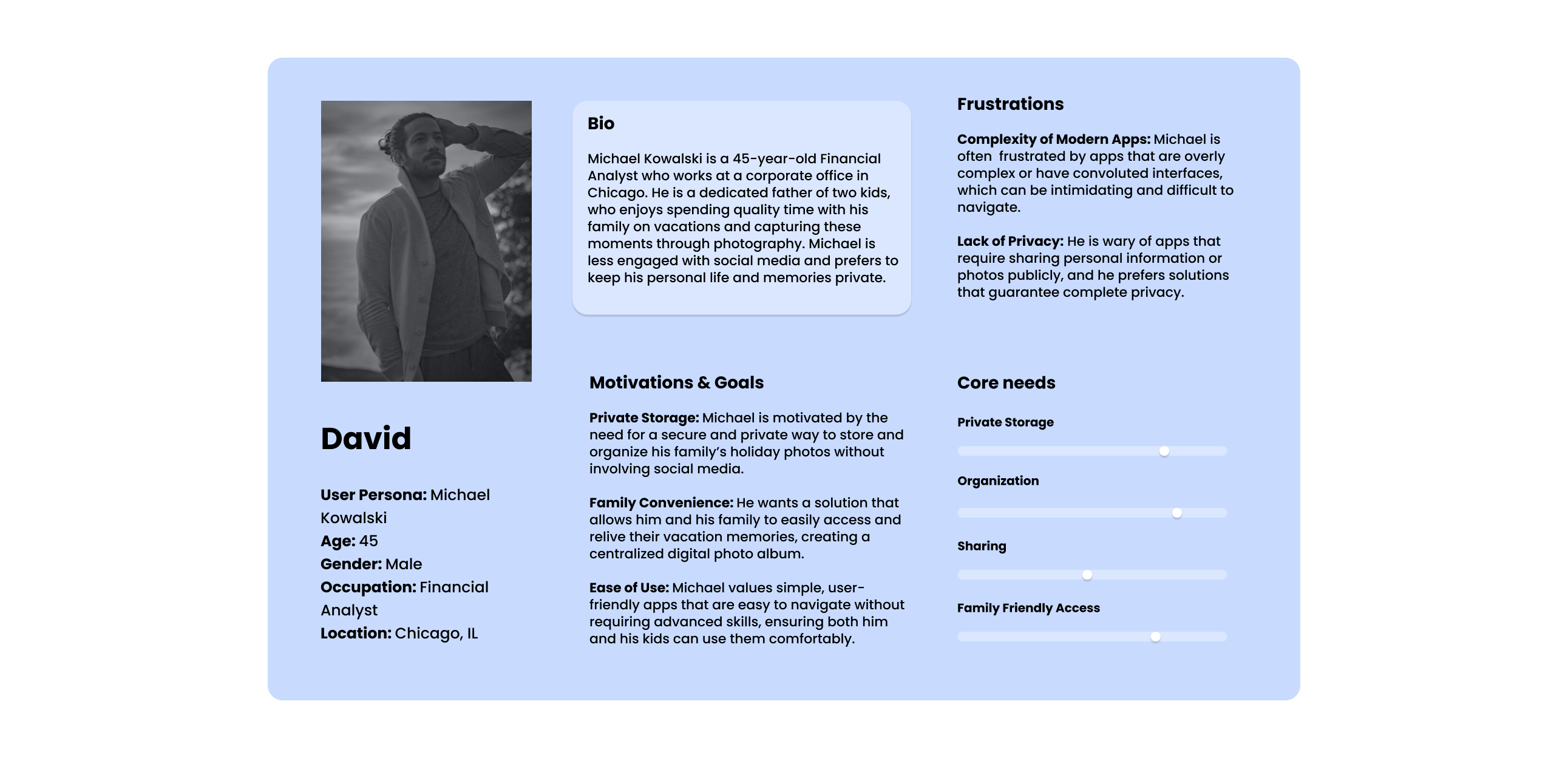
USER PERSONAS
The main user groups represented by personas:
PROJECT GOALS
(1)
BUSINESS GOALS
Generate revenue through premium plans, grow the user base with differentiated features, and sustain long-term engagement through continuous improvements.
(2)
PROJECT GOALS
Provide secure, private cloud storage with multi-device access, enable safe photo sharing, and deliver an interactive map-based photo organization experience.
(3)
USER GOALS
Enjoy an intuitive and engaging photo storage app, easily organize photos by location, and securely share albums with selected friends and family.
FEATURES ROADMAP
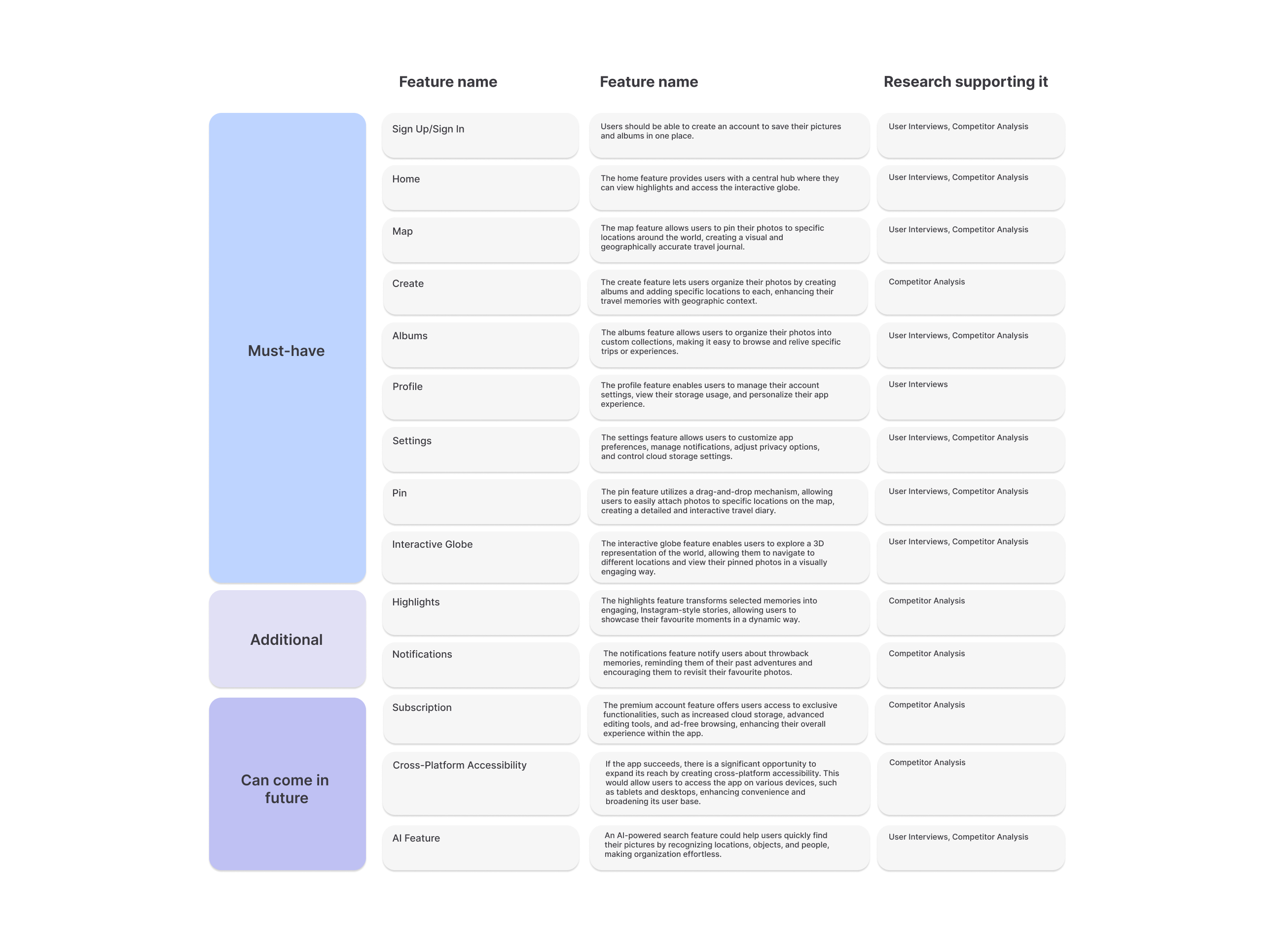
I have identified key features that should be included in my app:
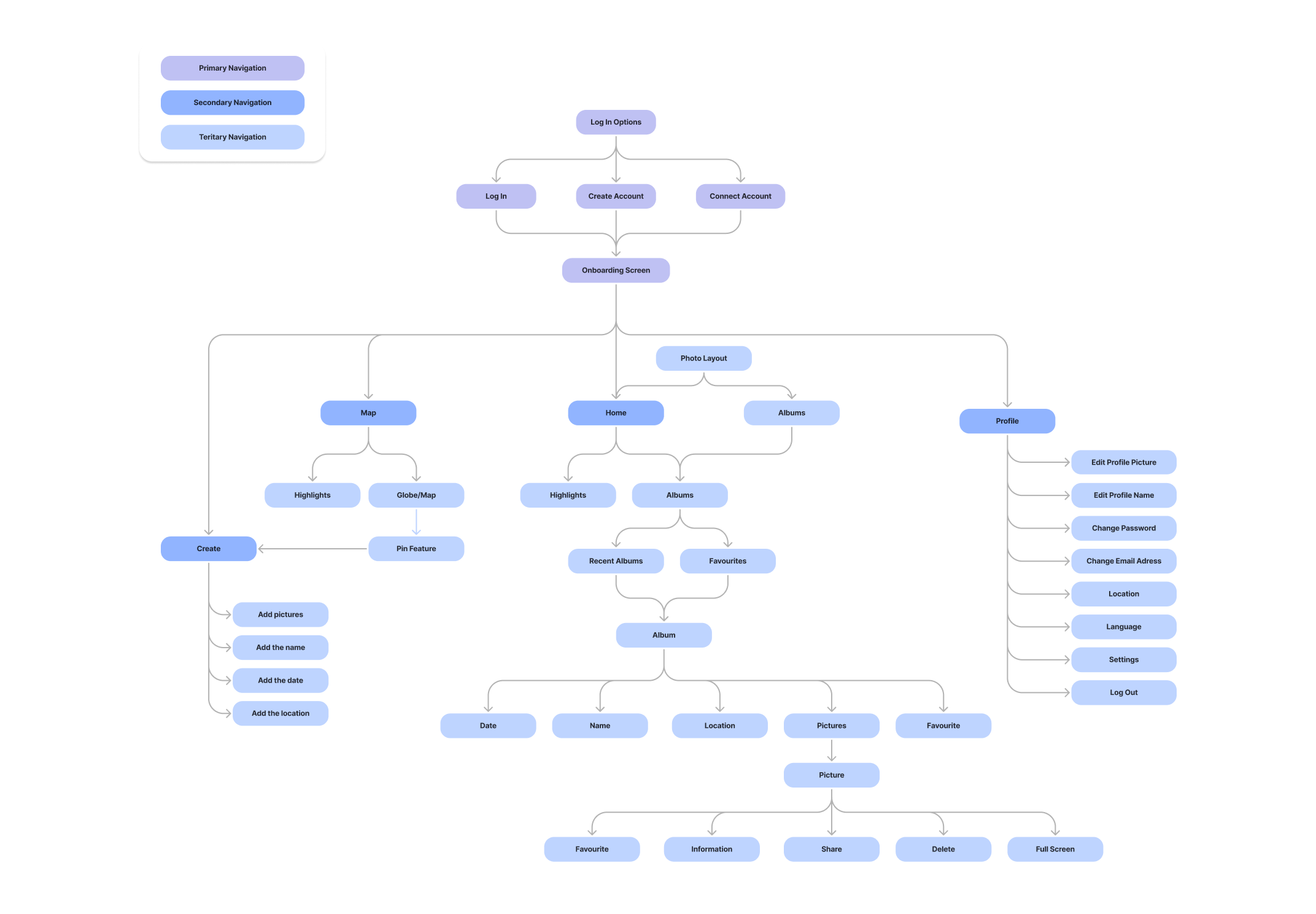
INFORMATION ARCHITECTURE
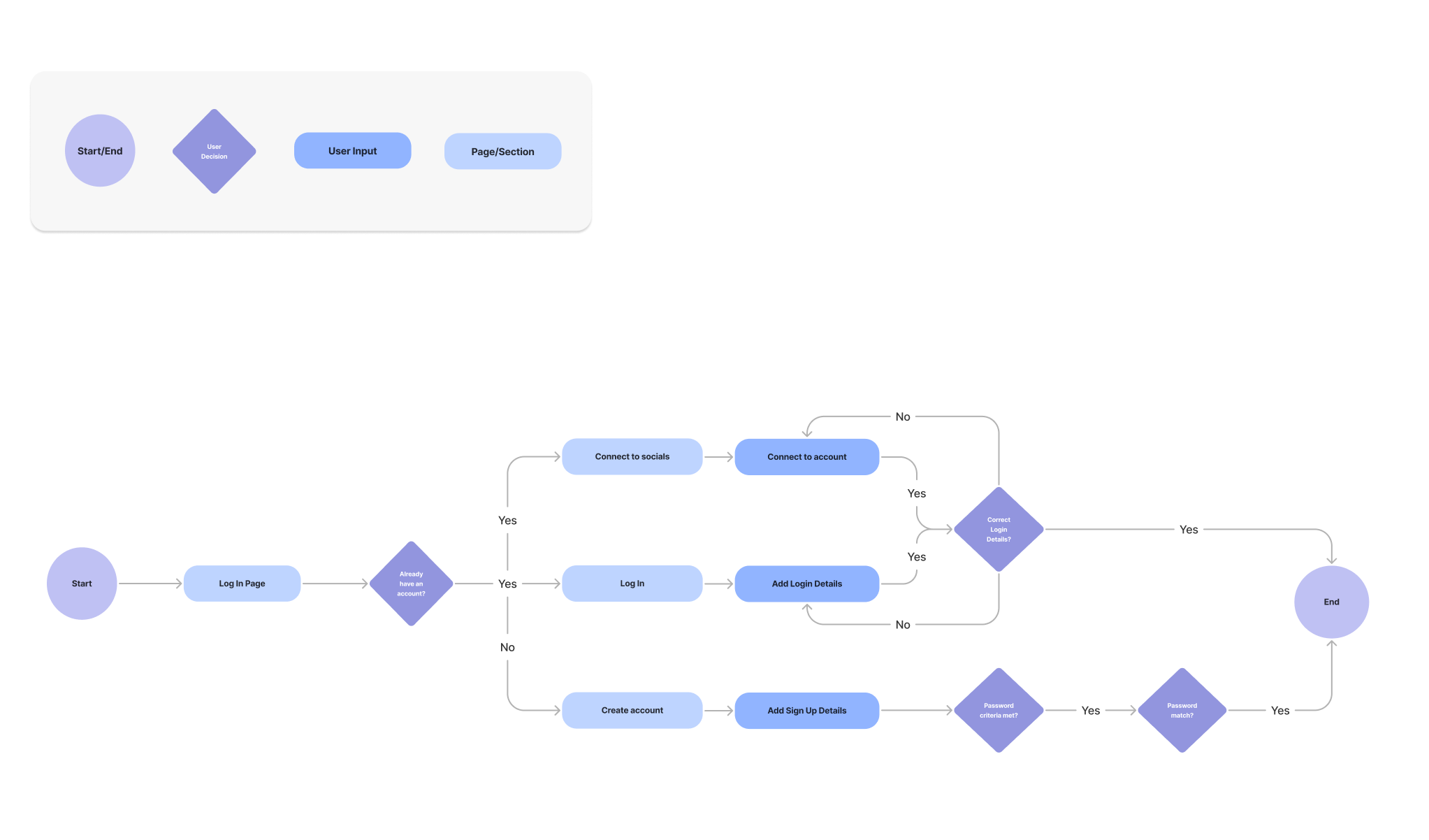
USER FLOW
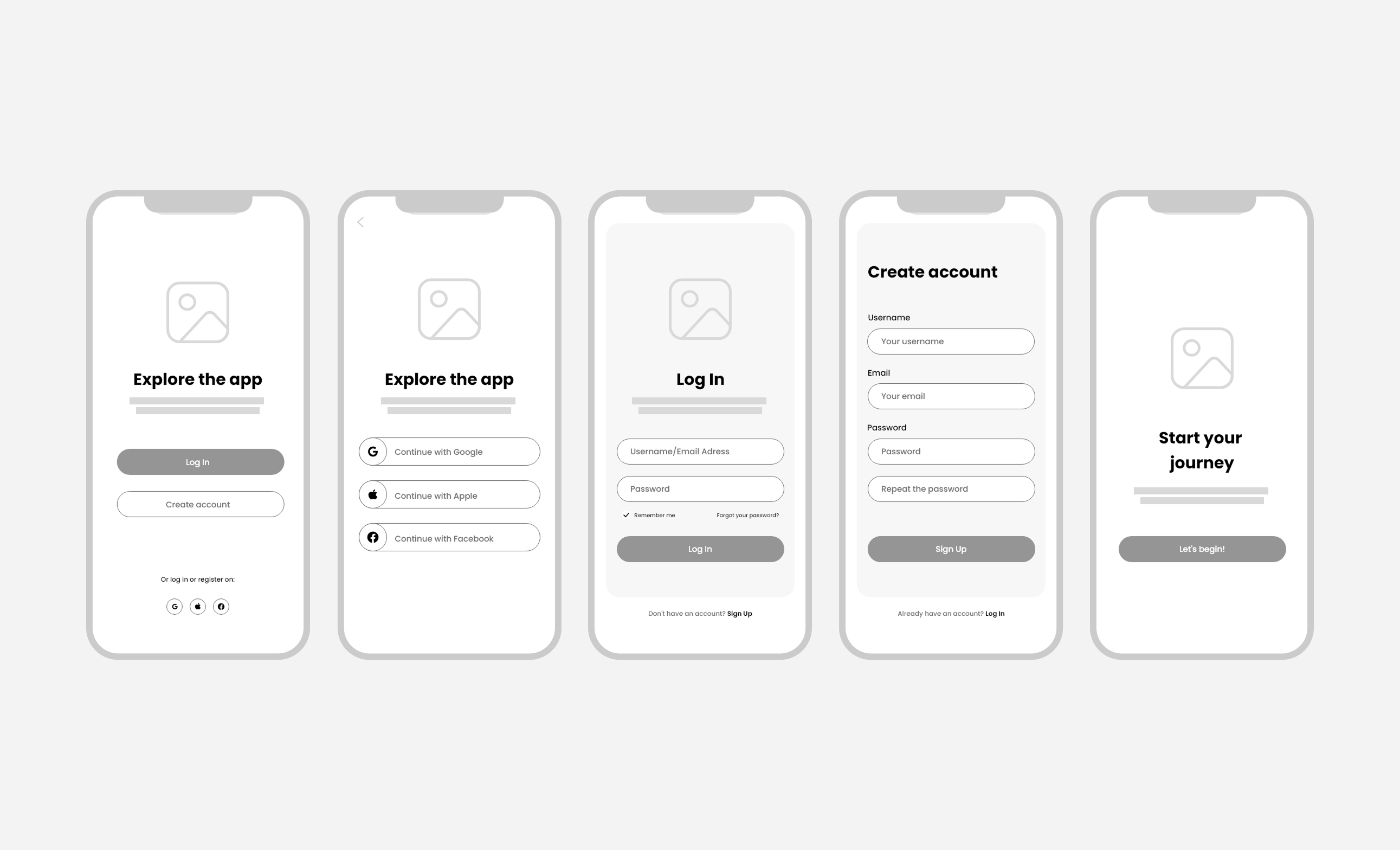
Log In User Flow
User Flow
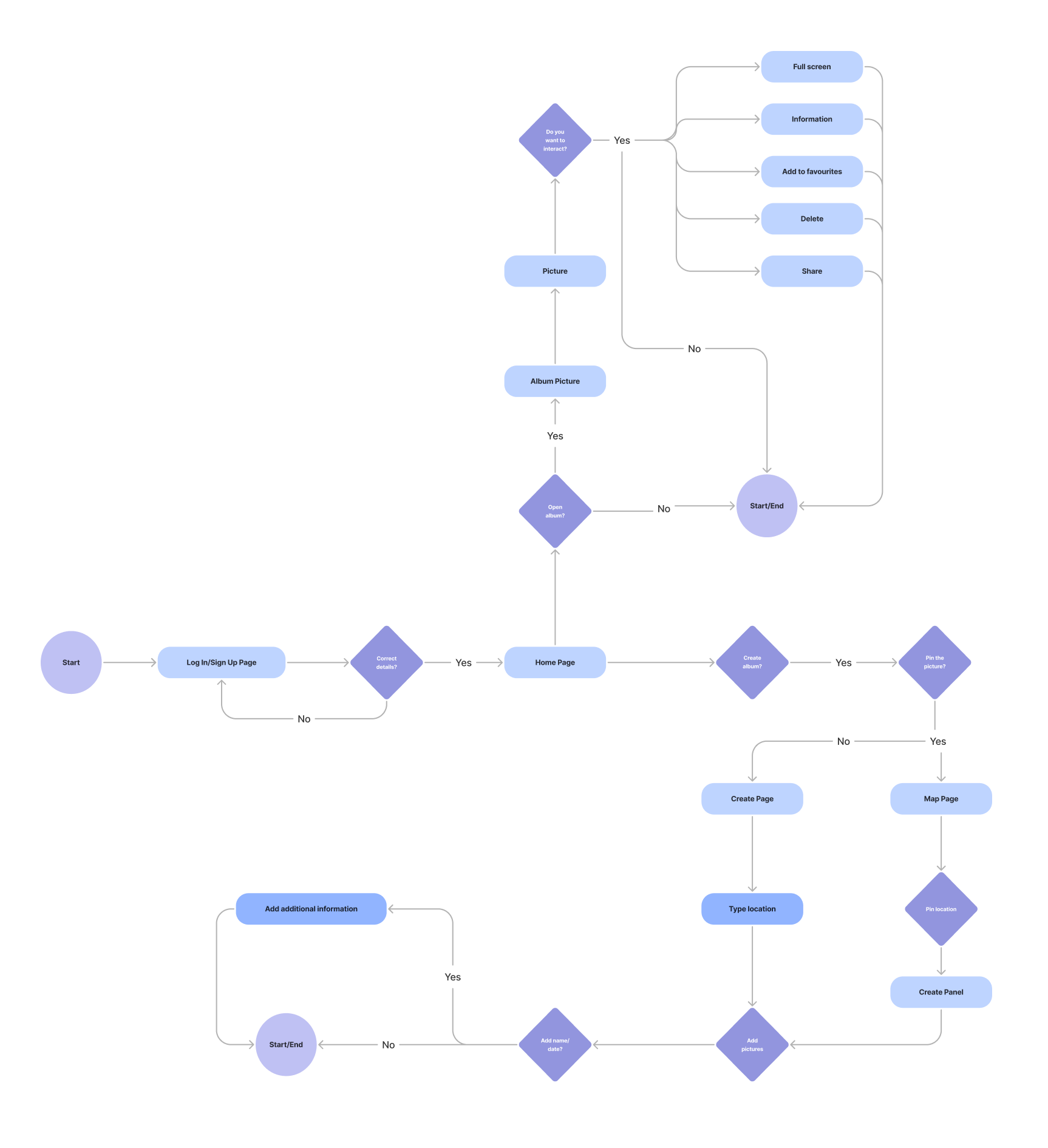
TASK FLOW
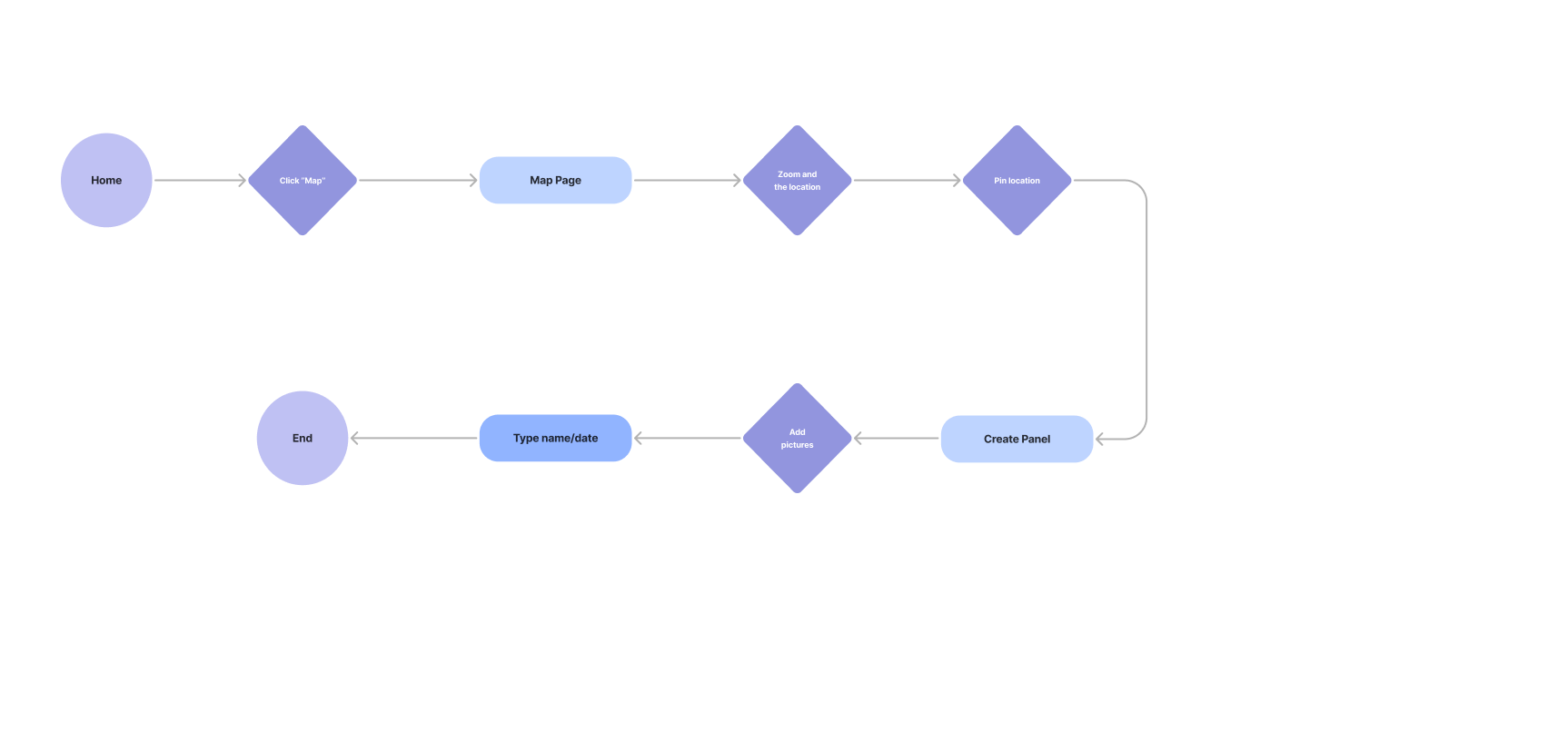
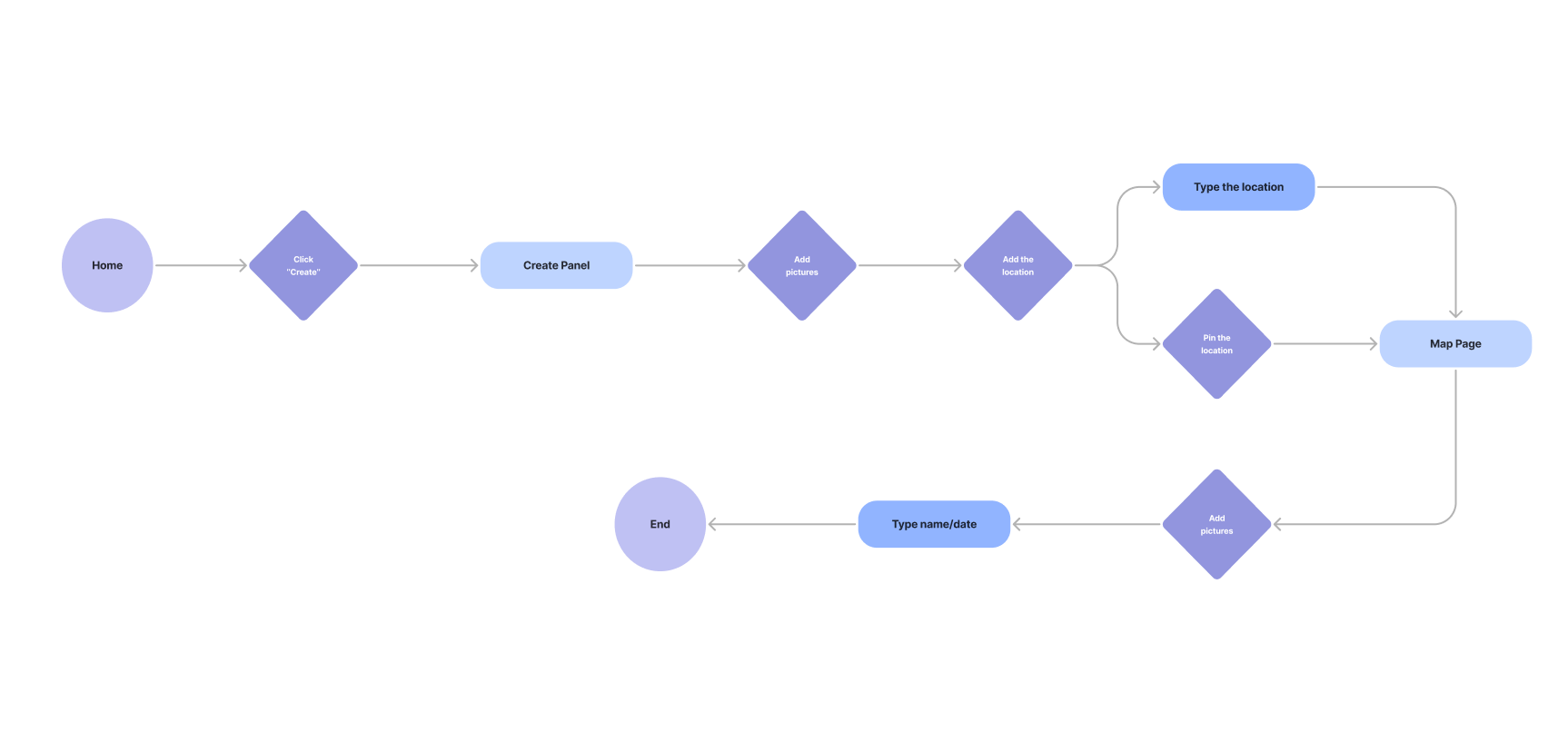
I have identified my two task user flows:
• Creating albums through "Map"
• Creating albums through "Create"
The concept allows users to pin photos from their album to a specific location either by pinning on the map or by entering the location name.
Create albums through "Map"
Create albums through "Create"
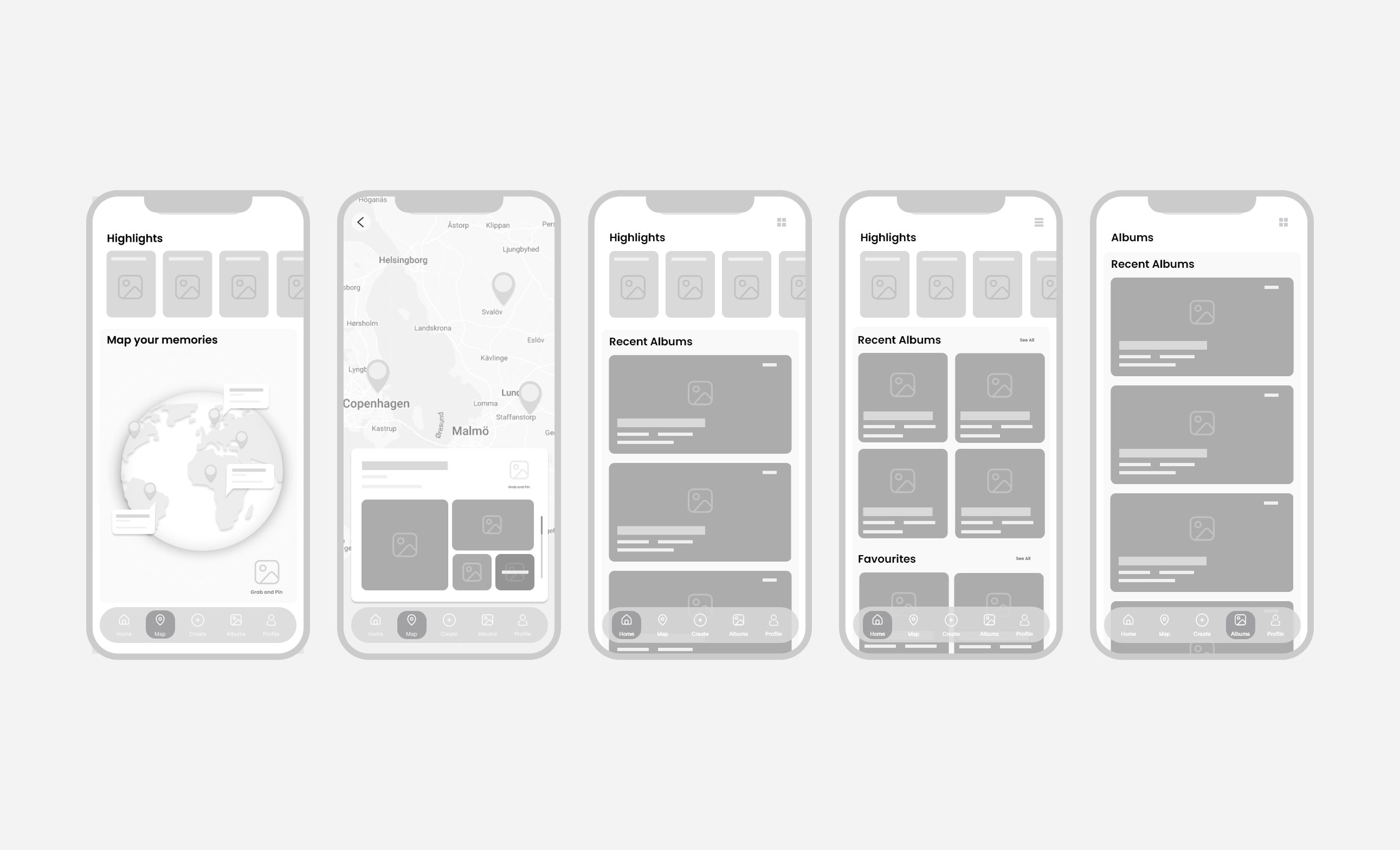
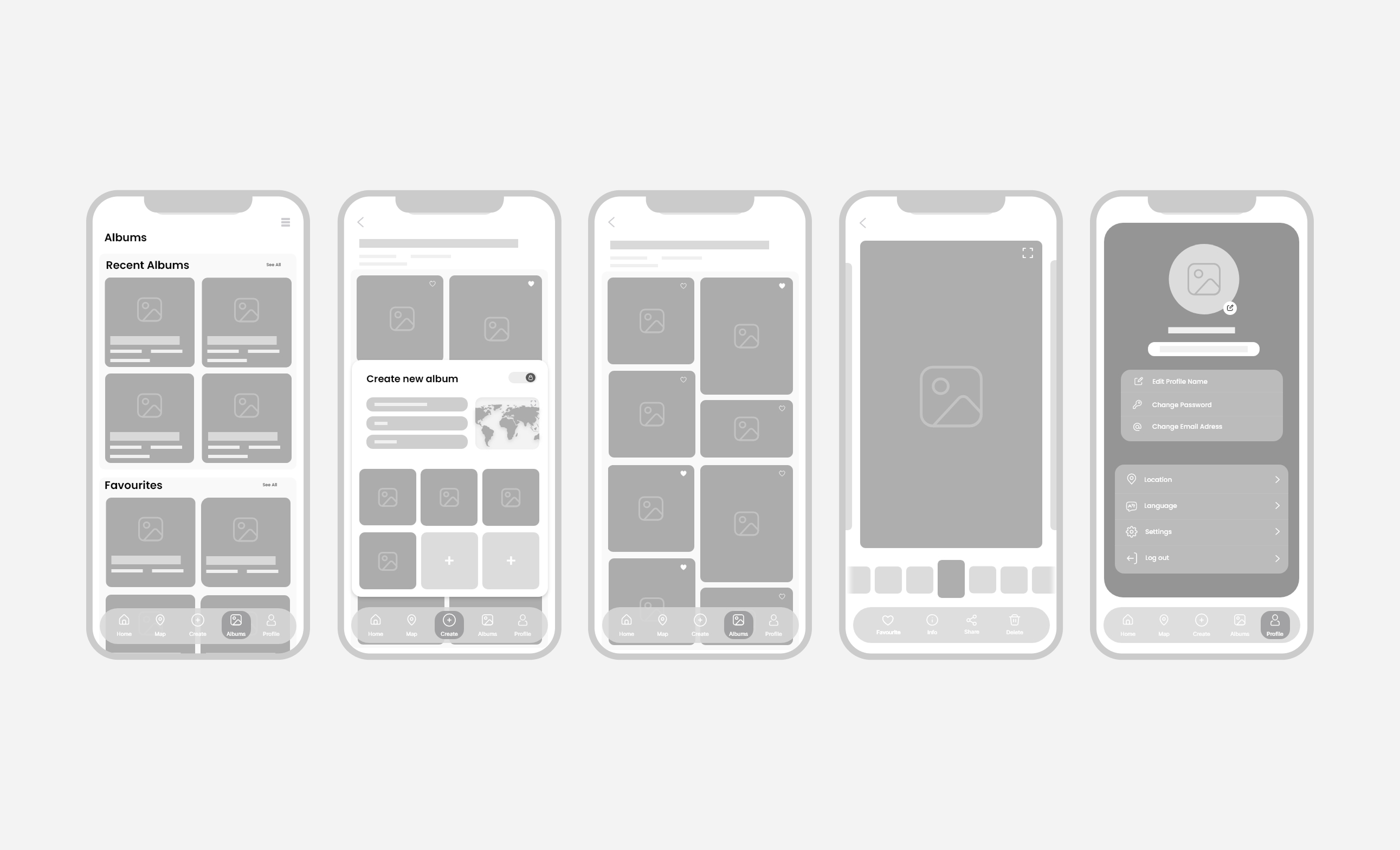
WIREFRAMES LOW-FIDELITY
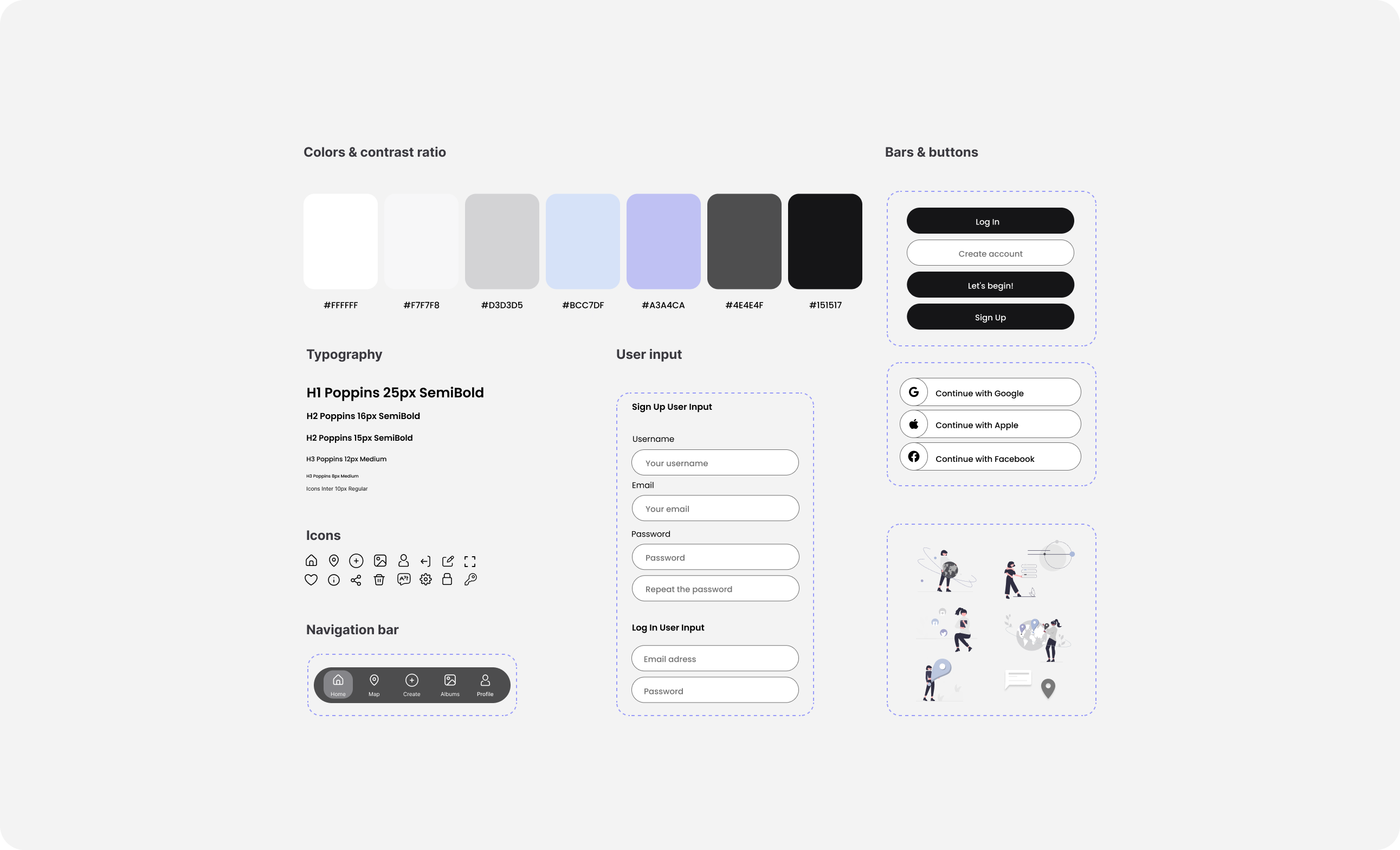
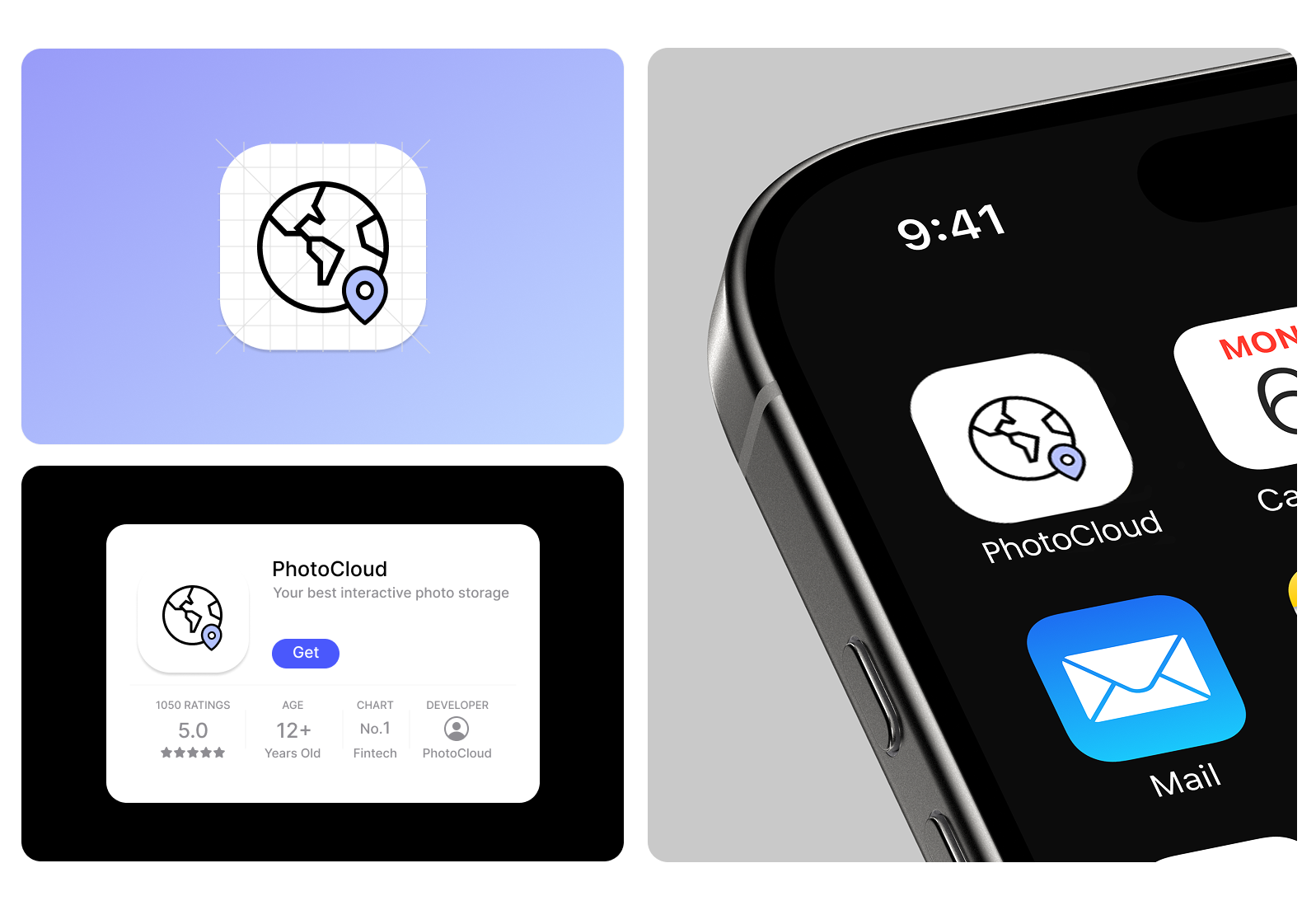
UI COMPONENTS & BRAND IDENTITY
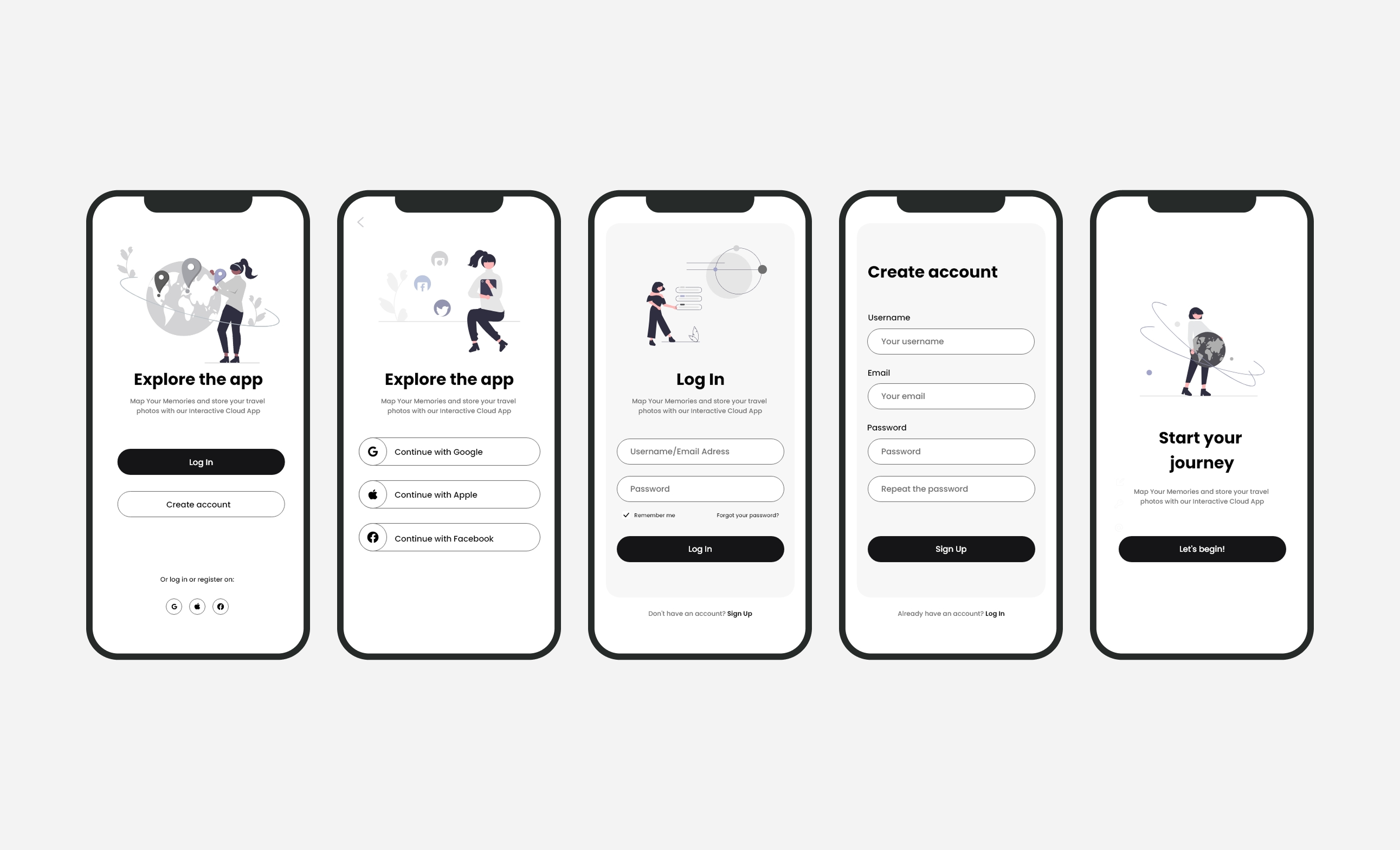
WIREFRAMES HIGH-FIDELITY
PROTOTYPE